# Sending to Excel

## Configuration Setup
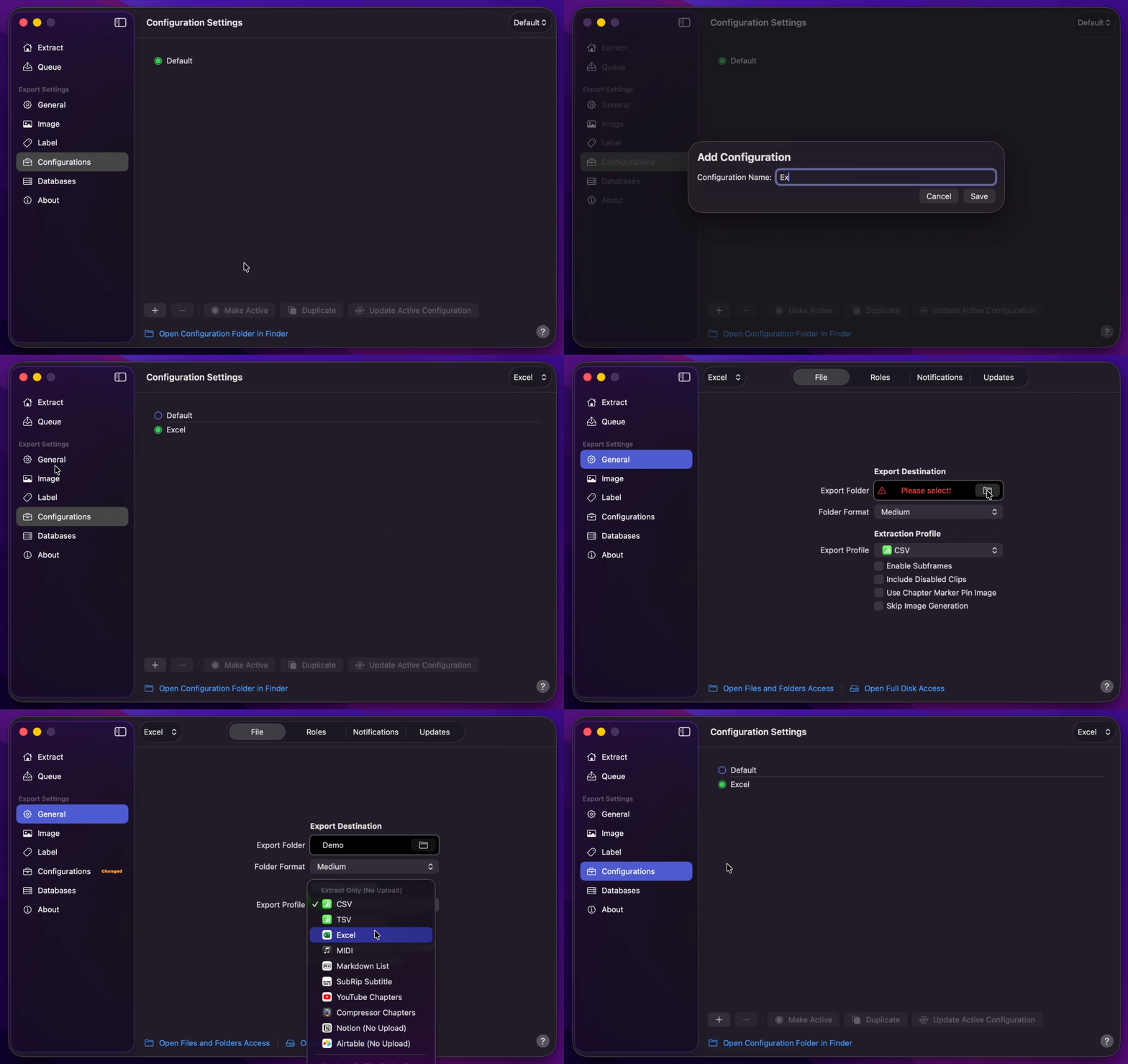
1. [Create Your Configuration](/user-guide/configurations/#add-configuration).
2. You can select your desired Export Destination by clicking on the [Folder Icon](/user-guide/general/#export-destination).
3. You can select Excel as your [Extraction Profile](/user-guide/general/#extraction-profile).
4. Return back to Configurations to [Update Active Configuration](/user-guide/configurations/#update-active-configuration)
!!!info Info
Embedding extracted images with a Color Swatch Palette is not supported.
!!!
## Final Cut Pro to Excel
1. Select `Marker Data Source` or `Marker Data H.264` from [Final Cut Pro's Share menu](user-guide/share-destination/).
2. **Marker Data** will start to perform its task.
3. **Marker Data** will launch to commence extraction and conversion.
4. **Marker Data** will create `.xlsx` file with embed images.