
#
Sending to Excel

#
Configuration Setup
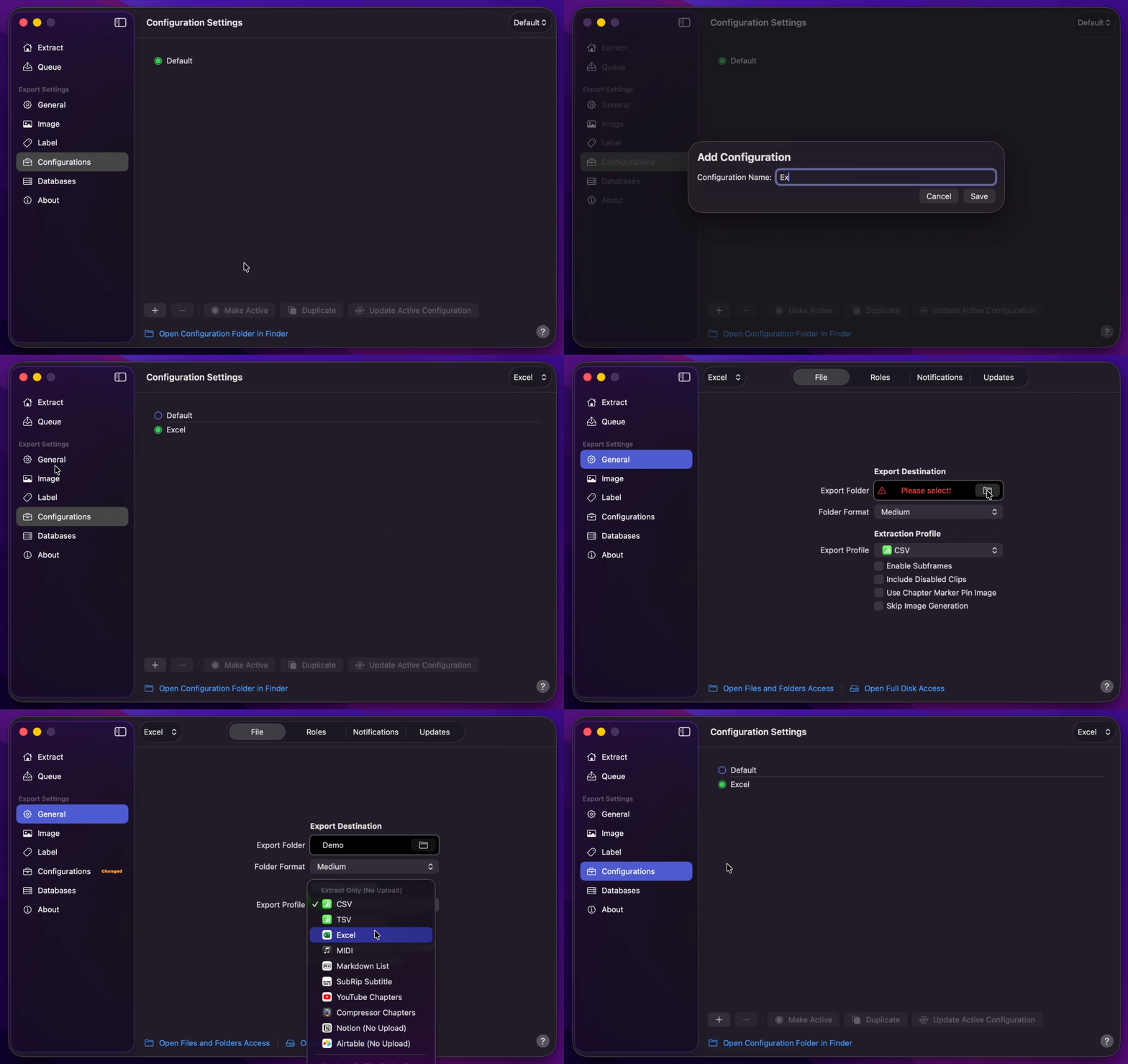
- Create Your Configuration.
- You can select your desired Export Destination by clicking on the Folder Icon.
- You can select Excel as your Extraction Profile.
- Return back to Configurations to Update Active Configuration
Info
Embedding extracted images with a Color Swatch Palette is not supported. Even when this option is enabled, images will be embedded without the associated Color Swatch Palette data.
#
Final Cut Pro to Excel
- Select
Marker Data SourceorMarker Data H.264from Final Cut Pro's Share menu. - Marker Data will start to perform its task.
- Marker Data will launch to commence extraction and conversion.
- Marker Data will create
.xlsxfile with embed images.