# Creating PDF

## Notion or Airtable Database Profile
1. Create Your [Notion Database Profile](/user-guide/databases/#creating-notion-database-profile) or [Airtable Database Profile](/user-guide/databases/#creating-airtable-database-profile).
!!!info Info
For this demonstration, Data Set will not be uploaded to Notion or Airtable. Notion profile will be used solely for demonstration purposes.
!!!
## Configuration Setup
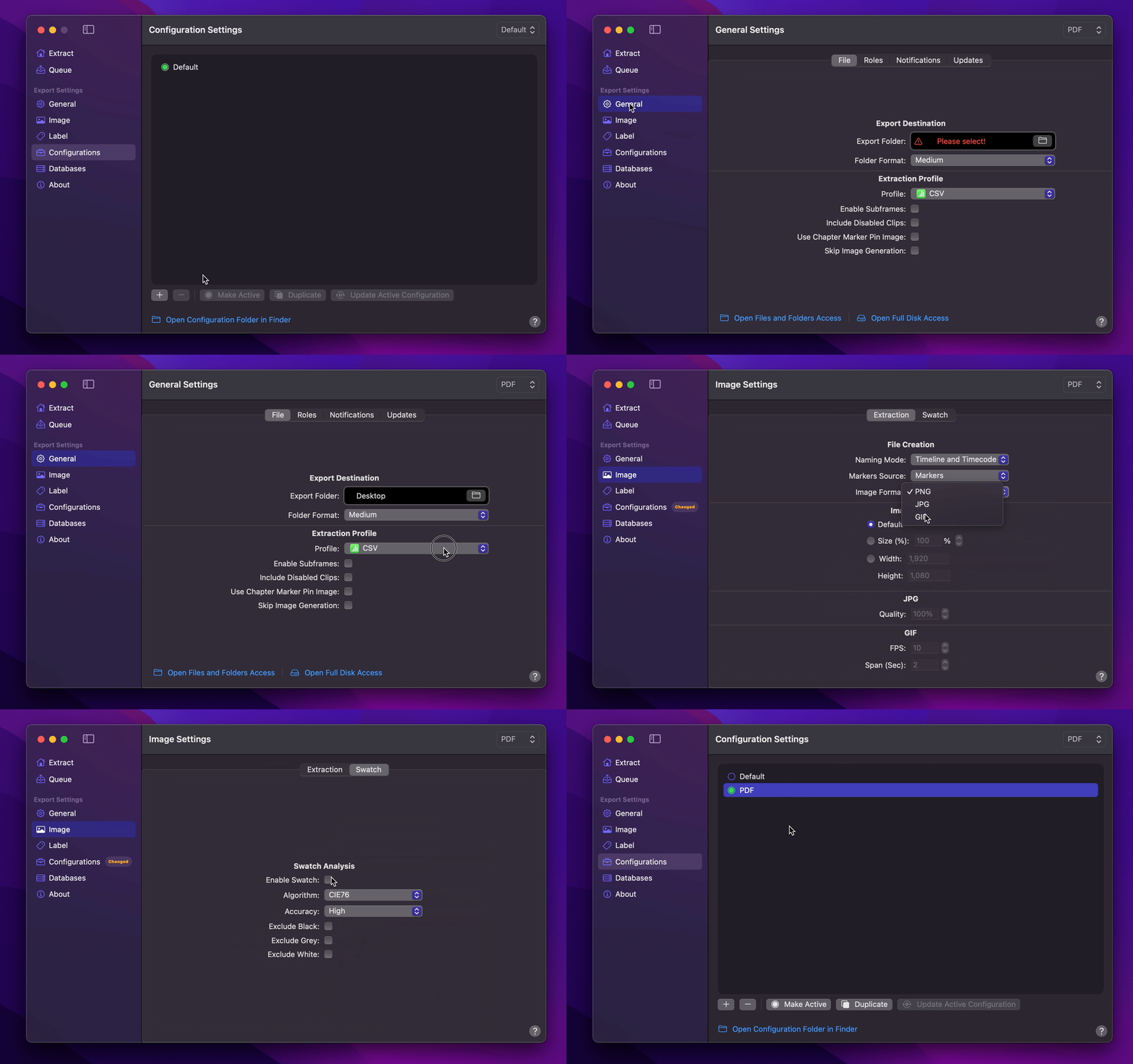
1. [Create Your Configuration](/user-guide/configurations/#add-configuration).
2. You can select your desired Export Destination by clicking on the [Folder Icon](/user-guide/general/#export-destination).
3. You can select `Notion (No Upload)` as your [Extraction Profile](/user-guide/general/#extraction-profile).
4. Set [Marker Source](/user-guide/image/#marker-source) to `Marker and Captions` (Optional).
5. You can set [Image Format](/user-guide/image/#image-format) to `GIF` (Optional).
6. Enable [Swatch](/user-guide/image/#swatch) (Optional).
7. Select your desired [Overlays](/user-guide/label/#overlays) (Optional).
8. Return back to Configurations to [Update Active Configuration](/user-guide/configurations/#update-active-configuration)
## Using Pagemaker to Export PDF
1. Select `Marker Data Source` or `Marker Data H.264` from [Final Cut Pro's Share menu](user-guide/share-destination/).
2. **Marker Data** will start to perform its task.
3. Click on `Open Pagemaker` button to launch [Pagemaker](/user-guide/pagemaker/).
4. The simplest way to load your Data Set is by dragging and dropping your extracted data folder directly onto the **Pagemaker**'s `drop zone`.
5. Once your desired selection or filtering is done, click the `Export PDF` button or press `⇧` `⌘` `P` on your keyboard in the top toolbar to initiate the export process.
6. Once export completes, you can save it to your desired location.